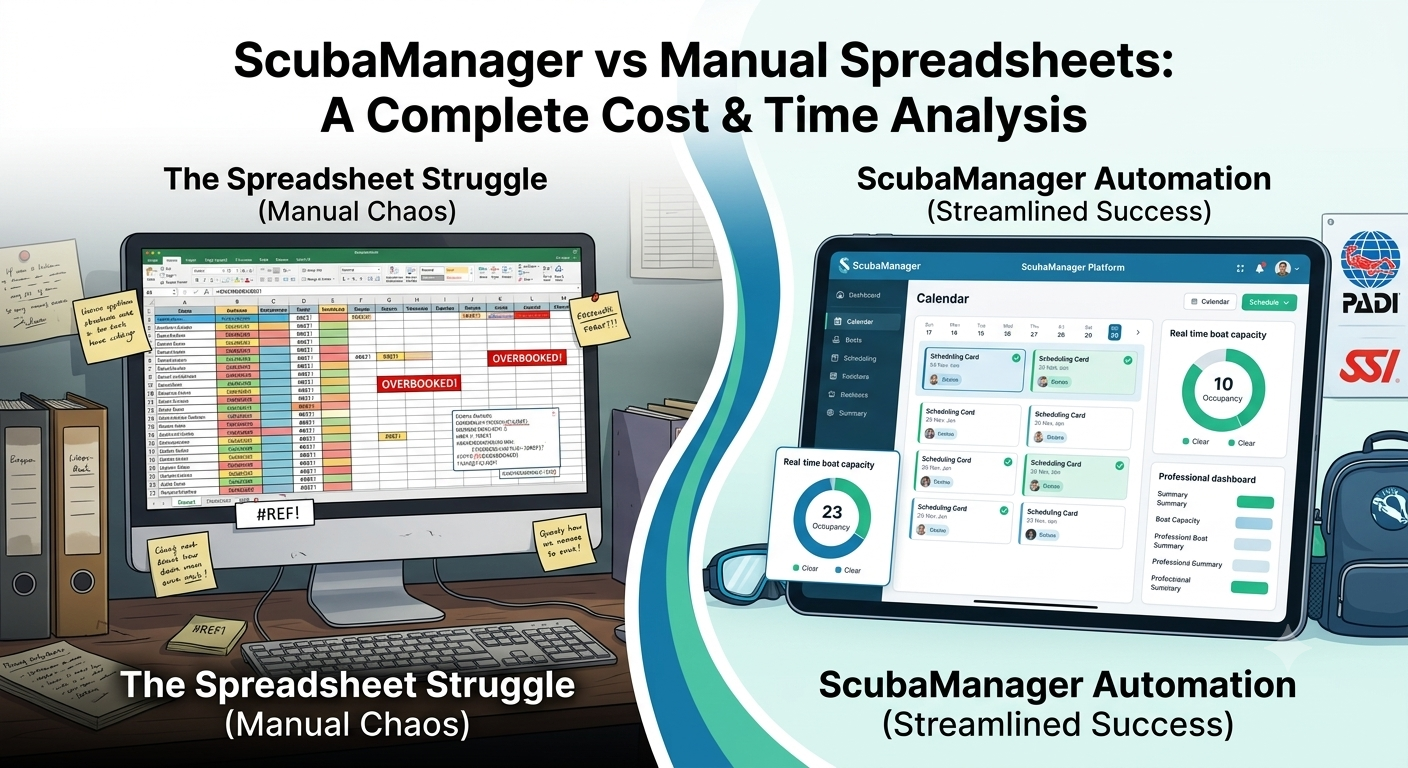
Scuba Manager vs Manual Spreadsheets: A Complete Cost & Time Analysis
Many dive center owners start with Excel or Google Sheets. It is how most shops manage their first bookings.
It makes complete sense. Spreadsheets are the universal Swiss Army knife of early-stage business operations. They are free, highly customizable, require zero initial software installation, and don't come with a monthly subscription bill. When you are running five bookings a week out of a single garage with one boat and a couple of local instructors, a spreadsheet is often all you need.
But as your business grows—as you add a second boat, hire more dive guides, offer specialized PADI or SSI certifications, and scale up your rental inventory—that friendly spreadsheet quietly transforms from a helpful assistant into a volatile liability.
What started as a simple list of names quickly balloons into a complex web of color-coded rows, broken cell formulas, and outdated tabs. You find yourself spending more time cross-referencing files than actually talking to your customers.
If you are currently evaluating your operational tools, this guide provides an honest, head-to-head comparison of a manual spreadsheet setup versus a dedicated dive shop booking system like Scuba Manager. We will compare what each approach does well and where it breaks, to help you choose the best infrastructure for your business.
1. The Spreadsheet Approach: Pros, Cons, and Structural Realities
To make an objective decision, we must examine the spreadsheet approach with absolute fairness. It has distinct advantages that make it highly appealing, alongside critical limitations that hinder operational scaling.
1.1 The Advantages of Manual Spreadsheets
- Essentially Free: Unless you pay for an enterprise Google Workspace or Microsoft 365 subscription, Google Sheets and Excel cost nothing to run. For a pre-launch or ultra-low-volume shop, this zero-dollar price point is impossible to beat.
- Complete Customization: You can arrange rows, colors, columns, and tabs in any visual layout you prefer. There are no pre-set structural constraints; you can build formulas tailored to your specific boat capacities or custom package combinations.
- No Learning Curve: Almost everyone knows how to enter text into a spreadsheet grid. Onboarding new administrative staff or dive guides to view a sheet takes seconds, requiring no extensive technical training.
- No Software Lock-In: Your data is stored in standard
.xlsxor.csvformats, meaning you own it locally and can move or extract it without dealing with software API restrictions.
1.2 The Disadvantages of Manual Spreadsheets
- Manual Data Entry Chains: Spreadsheets cannot automate actions. Every booking, certification check, waiver confirmation, and rental gear assignment must be manually typed line-by-line. This consumes hours of administrative labor weekly.
- Lack of Real-Time Multi-User Sync: Even on cloud platforms like Google Sheets, when multiple users attempt to edit instructor allocations or boat rosters simultaneously, overwrite errors occur constantly.
- Zero Safeguards Against Human Error: A spreadsheet will not prevent you from assigning an instructor to two different boats at the same time, nor will it flag you if you overbook a 12-passenger vessel to 14 slots.
- Inaccessible and Unreadable on Mobile: Trying to read, update, or edit a complex booking grid on a smartphone or tablet at a wet dock, or while rocking on a dive boat, is nearly impossible and often leads to catastrophic data deletions.
- Version Control and Corruption Risks: If an employee accidentally deletes a critical formula or a master row in an offline Excel sheet, finding and restoring the correct version can take hours of stressful forensics.
- Severe Scaling Limits: As booking volume increases, manual tracking degrades. You cannot easily filter historical client data, track customer lifetime values, or run complex financial reports without building incredibly delicate, error-prone macro systems.
2. The Scuba Manager Approach: Dedicated Automation
A specialized dive center management software platform like Scuba Manager is designed with a deep understanding of the unique operational challenges faced by dive shops. It replaces static tracking with a dynamic, interconnected database engine.
2.1 How the Platform Operates
Scuba Manager acts as a unified central brain for your business. It brings bookings, boat manifests, crew schedules and client records into one place.
The bottom line
Spreadsheets are a great way to start a dive center. They are a terrible way to scale one. The moment a missed double-booking, a forgotten certification, or a Saturday-morning scramble costs you a single customer, the "free" tool has already become the most expensive line item in your shop. A dedicated dive shop booking system replaces guesswork with one shared record — and gives you back the hours you really wanted to spend underwater.